Workflow automation replaces repetitive manual tasks with software that runs them automatically, reliably, and without human intervention. For UK SMEs, the biggest opportunity is not in adopting AI or buying new platforms but in eliminating the manual processes that consume hours of your team’s time every week. Research from the British Chambers of Commerce shows that only 11% of UK businesses use technology extensively to automate operations, meaning the vast majority are paying people to do work that software could do faster and more accurately.
What Is Workflow Automation?
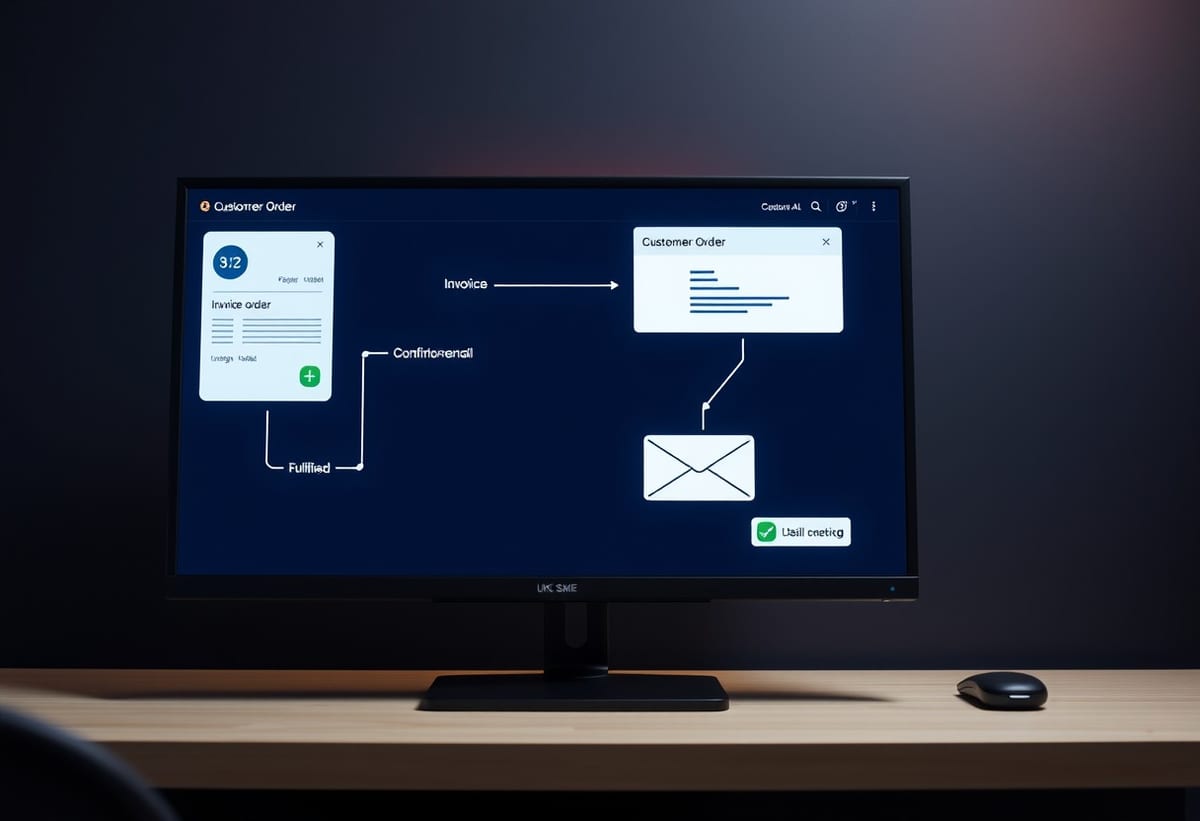
Workflow automation is the use of software to execute a sequence of tasks that would otherwise be done manually. When a customer places an order, automation can trigger the invoice creation, update the inventory, send a confirmation email, and notify the fulfilment team, all without a person touching any of it.
The key distinction is between tasks that require human judgement and tasks that are purely procedural. Automation handles the procedural tasks. It does not replace your team. It frees them from repetitive admin so they can focus on the work that actually requires their skills and experience.
How Do You Identify Processes Worth Automating?
Not every process should be automated. Here is how to identify the ones that should be.
The Process Is Repetitive
If a task happens the same way every time, following the same steps in the same order, it is a candidate for automation. The more frequently it happens, the higher the return on automating it.
The Process Is Rule-Based
If the process follows clear rules, if this then that, it can be automated. Processes that require subjective judgement, creative thinking, or nuanced decision-making are not good candidates.
The Process Involves Multiple Systems
If a process requires moving data between systems, such as copying customer information from a web form into a CRM and then into an accounting system, automation eliminates the manual transfer and the errors that come with it.
The Process Is Error-Prone
Manual processes are inherently error-prone. If a process regularly produces mistakes that require correction, automation eliminates those errors. According to a YouGov survey, 69% of UK office workers say they spend at least a month per year on repetitive administrative tasks that could be automated.
What Are the Most Common Processes to Automate in UK SMEs?
Based on my experience working with UK businesses, these are the processes that deliver the fastest return when automated.
Order Processing
When a customer places an order, automation can generate the invoice, update inventory, send a confirmation, and notify the warehouse. This eliminates manual order entry and ensures inventory is always accurate.
Customer Onboarding
Onboarding a new customer typically involves creating accounts, sending welcome emails, scheduling follow-ups, and setting up billing. Automation handles all of this, reducing onboarding time from days to minutes.
Invoice Processing
Receiving an invoice, entering it into the accounting system, getting approval, and scheduling payment. Automation can extract data from invoices, route them for approval, and record them in your accounting system.
Report Generation
If your team regularly compiles reports from multiple data sources, automation can generate those reports on schedule, pulling data from your systems and delivering it in the right format. No more Monday morning spent building the weekly report.
Lead Routing
When a new lead comes in, automation can assign it to the right salesperson based on territory, product, or availability, send a confirmation to the lead, and create a follow-up task. Our workflow automation services handle all these scenarios and more.
How Much Does Workflow Automation Cost?
The cost depends on complexity and the systems involved.
Simple Automation
Automating a single process between two systems, such as syncing new customer records from a web form to a CRM. Typically £3,000 to £8,000.
Multi-Step Automation
Automating a multi-step process involving three or more systems, such as the full order processing workflow. Typically £8,000 to £20,000.
Complex Automation Suite
Building a full automation platform that handles multiple workflows across your business, with custom logic, conditional routing, and reporting. Typically £20,000 to £50,000.
The return on investment is usually fast. If automation saves 10 hours per week of manual work, at £25 per hour that is £13,000 per year. A £10,000 automation project pays for itself in under 12 months.
How Do You Implement Workflow Automation?
Step 1: Map Your Current Processes
Before automating anything, document how the process works now. Who does what, in what order, using which systems. This map reveals inefficiencies, bottlenecks, and unnecessary steps that should be eliminated before automation.
Step 2: Identify Automation Candidates
Not every step in a process should be automated. Some steps require human judgement. Identify the steps that are purely procedural and can be automated without degrading quality.
Step 3: Start With the Highest-ROI Process
Do not try to automate everything at once. Start with the process that delivers the biggest time saving or error reduction for the lowest development cost. Prove the concept, then expand.
Step 4: Build, Test, and Refine
Build the automation, test it thoroughly with real data, and refine based on the results. Automation that works in theory but fails in practice is worse than no automation. Test edge cases, error conditions, and recovery scenarios.
Step 5: Monitor and Maintain
Automation needs monitoring. Processes change, systems update, and data evolves. Regular monitoring ensures the automation continues to work correctly and catches issues before they cause problems.
What Tools Are Used for Workflow Automation?
There are two broad approaches to workflow automation.
Integration Platforms
Tools like Zapier, Make, and n8n provide pre-built connectors between popular SaaS tools. They are quick to set up and work well for simple integrations between mainstream tools. The limitations are cost (per-task pricing adds up at volume), flexibility (limited to the connectors and logic they support), and coverage (cannot connect to custom or legacy systems).
For a small business with three or four mainstream SaaS tools and low transaction volumes, an integration platform may be sufficient. But as volumes grow and the number of systems increases, the per-task pricing model becomes expensive. A business processing 500 orders per day through a Zapier integration could pay hundreds of pounds per month in task fees alone. At that point, custom automation becomes more cost-effective.
Custom Automation
Custom automation uses APIs and code to connect your systems directly. It is more flexible, has no per-task costs, and can handle any system, not just those on a connector list. For UK SMEs with custom or legacy systems, or with high-volume processes, custom automation is usually more cost-effective. Our custom API development services provide the infrastructure that custom automation runs on.
If you operate in a specific sector, we have guidance tailored to your needs. For example, facilities management companies automating job workflows can benefit from our software for facilities management insights.
Recommended Reading
- AI Automation for Business Workflows - How AI extends traditional workflow automation with intelligent decision-making.
- System Integration for UK SMEs - The foundation that makes workflow automation possible.
- Custom API Development: Connecting Your Business Systems - The APIs that power automated data flow between systems.
Next Steps
If your team is spending time on repetitive manual processes, workflow automation can give them that time back. Explore our workflow automation services to see what is possible, or book a free discovery call to discuss your specific processes. For businesses in sectors with specific workflow requirements, our industry-specific solutions show how automation addresses the unique challenges of different industries.